
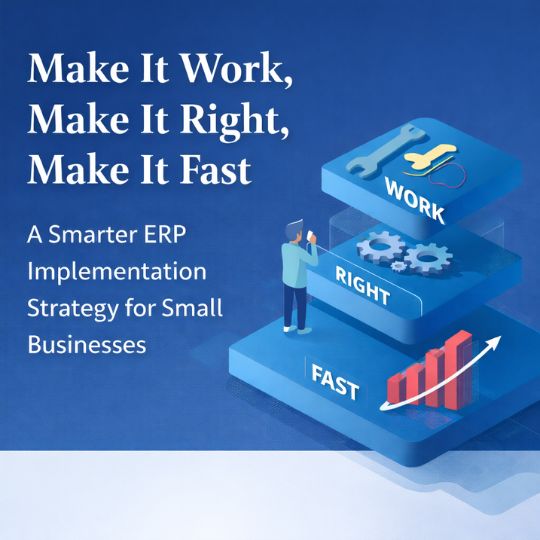
When small businesses begin evaluating ERP software, the pressure to get everything perfect from day one can be intense. Teams start building long wish lists. The implementation scope grows. Timelines stretch. Before long, the project becomes harder to launch, harder to manage, and harder to justify.
That is exactly why Kent Beck’s philosophy still matters: “Make it work, make it right, make it fast.”
It may have started as a software development mindset, but it also offers a practical roadmap for small business ERP implementation. For growing businesses, especially industrial repair companies, machine shops, and project-based operations, this approach helps reduce risk, speed up adoption, and deliver value sooner.
Instead of trying to implement every feature at once, businesses can focus on solving the most important operational problems first, then improve and optimize over time.
Why Small Businesses Struggle with ERP Implementation
Many ERP projects do not fail because the software is wrong. They fail because the rollout becomes too complicated before the system is ever used in the real world.
Common issues include:
- Trying to define every future requirement upfront
- Over-customizing before core workflows are proven
- Delaying launch in pursuit of perfection
- Prioritizing edge cases over daily operational pain points
- Losing momentum because the project feels too large
For small businesses, this is especially costly. You do not have time, budget, or staffing to carry a bloated implementation that drags on for months with little visible progress. Magnify ERP’s messaging leans into this exact need: real-time visibility, practical rollout, and a faster path to operational control for small industrial businesses.
The better approach is to phase the work.
Step 1: Make It Work
Solve the Core Business Problem First
The first priority of any ERP rollout should be simple: make the system work for the most important workflows right now.
For small businesses, that usually means addressing the bottlenecks that affect daily execution and profitability, such as:
- missed customer follow-ups
- limited job visibility
- inaccurate quoting
- manual inventory tracking
- disconnected spreadsheets
- delayed invoicing
- unclear job costing
At this stage, the question is not, “Does the system handle every possible scenario?”
The real question is:
Does this solve our biggest problem today?
That mindset helps teams focus on the workflows that produce immediate value. In many businesses, that may mean starting with quoting, work order tracking, inventory visibility, customer communication, or labor tracking before expanding into more advanced reporting or automation.
Why This Works So Well for Small Businesses
Small businesses often have an advantage here because:
- decision-makers are closer to day-to-day operations
- the biggest pain points are easier to identify
- feedback cycles are shorter
- changes can happen faster
- there is less organizational red tape
This makes a phased ERP implementation much more realistic and effective.
Step 2: Make It Right
Refine the Process After Real Usage Begins
Once the system is working, the next step is to improve it based on actual use.
This is where businesses begin to clean up process issues, remove friction, improve the user experience, and align the software more closely with how the team operates. Instead of making assumptions before launch, you make improvements based on what users are really doing.
This phase may include:
- simplifying screens and steps
- cleaning up workflows
- improving role-based visibility
- tightening data entry standards
- adding useful integrations
- improving dashboard layout and reporting logic
Real-World Feedback Beats Perfect Planning
This is where many companies get stuck. They try to “make it right” before anything is live. On paper, the process looks polished. In practice, nobody knows yet whether it supports the real work.
Small businesses are better served by launching the essentials first, then refining the system around actual user behavior. That creates a better long-term fit and avoids overengineering.
Improvement Should Be Driven by Measurable Value
Not every refinement matters equally. The best improvements are the ones that create visible business results, such as:
- reducing quote turnaround time
- improving on-time delivery
- increasing visibility into job profitability
- reducing lost parts or inventory confusion
- shortening invoicing cycles
- giving leadership cleaner reporting
That is how ERP becomes a business tool, not just a software platform.
Step 3: Make It Fast
Optimize Only After the Foundation Is Solid
Speed matters, but only after the system works and the workflow is right.
In a small business environment, “fast” usually means:
- faster invoicing
- faster follow-ups
- faster access to job status
- faster employee onboarding
- faster reporting
- faster decisions based on real-time data
Optimization too early can waste time and money. If the underlying process is still unstable, accelerating it just makes the confusion happen faster. Not exactly the plot twist anyone asked for.
What Optimization Looks Like in ERP
Once the system is stable, optimization may include:
- automating repetitive tasks
- improving performance and reporting speed
- streamlining approvals
- reducing duplicate entry
- introducing alerts and workflow triggers
- expanding dashboards for better visibility
At that point, speed creates leverage because it is built on a process that already works.
Why This ERP Approach Fits Small Businesses Better Than Big-Bang Implementations
Small businesses do not need massive, rigid systems that take forever to launch. They need software that helps them gain visibility, control, and momentum without overwhelming the team.
A phased approach works because it aligns with how growing companies actually operate:
H3: Small Businesses Value Speed of Learning
They can launch faster, test faster, and adjust faster.
Small Businesses Can Tolerate Imperfection
They do not need every edge case solved before getting operational value.
Small Businesses Need ROI Sooner
They benefit more from solving today’s costly problems than from planning for hypothetical future complexity.
Small Businesses Win Through Practical Execution
A system that supports quoting, inventory, job costing, customer visibility, and reporting today is more valuable than a perfect future-state system that never fully gets adopted.
For industrial repair and machine shop environments, this is especially important. Shops need better control over jobs, parts, labor, and shipping without a drawn-out implementation that disrupts operations. That practical, operational focus is central to how Magnify ERP positions its platform.
What Business Owners Should Do Before Starting an ERP Project
Before launching an ERP implementation, small business leaders should focus on a few simple questions:
1. What is the biggest operational problem costing us money right now?
Identify the bottleneck that is creating the most pain or lost margin.
2. Which workflows must be working first?
Prioritize the minimum set of workflows needed to create immediate value.
3. What can we improve after go-live?
Separate must-haves from nice-to-haves.
4. What should we measure?
Define a few success metrics, such as turnaround time, job profitability, labor visibility, inventory accuracy, or invoicing speed.
5. How will we gather feedback quickly?
Plan short review cycles so the system can improve based on real use, not assumptions.
The Takeaway
If you are implementing ERP software for a small business, resist the urge to do everything at once.
You do not need a perfect system on day one. You need a system that solves the right problem, supports real work, and gives your team a clear path to improvement.
The smartest ERP strategy is often the simplest:
Make it work.
Launch the core workflows that solve the most immediate business problem.
Make it right.
Refine the process based on real usage and real feedback.
Make it fast.
Optimize only after the workflow is stable and delivering value.
That approach reduces implementation risk, improves adoption, and helps small businesses see results sooner. And in a competitive market, sooner tends to beat someday every single time.
Ready to Stop Managing Critical Work in Spreadsheets?
If your business is still relying on disconnected tools, manual updates, and limited visibility, a phased ERP approach can help you gain control without overwhelming your team.
Magnify ERP helps small businesses centralize operations, improve visibility, and build a stronger foundation for growth. Explore how a practical ERP rollout can help your team move from reactive to proactive.
Frequently Asked Questions About Small Business ERP Implementation
The timeline depends on business size, process complexity, and data readiness. A phased rollout is often faster and less risky than trying to implement everything at once.
One of the biggest mistakes is trying to make the system perfect before it is live. This usually leads to scope creep, delays, and lower adoption.
A phased ERP implementation helps small businesses reduce disruption, deliver value faster, and improve the system based on real-world use.
Most businesses should start with the workflows causing the most operational pain, such as quoting, job tracking, inventory control, invoicing, or reporting.
No. Modern ERP software can be especially valuable for small businesses that need better operational visibility, stronger process control, and scalable systems without adding unnecessary complexity.